
01 / CONNECTIONS
What calls this?
Start at a method. Explore its recursive callers and immediate callees, across your solution.
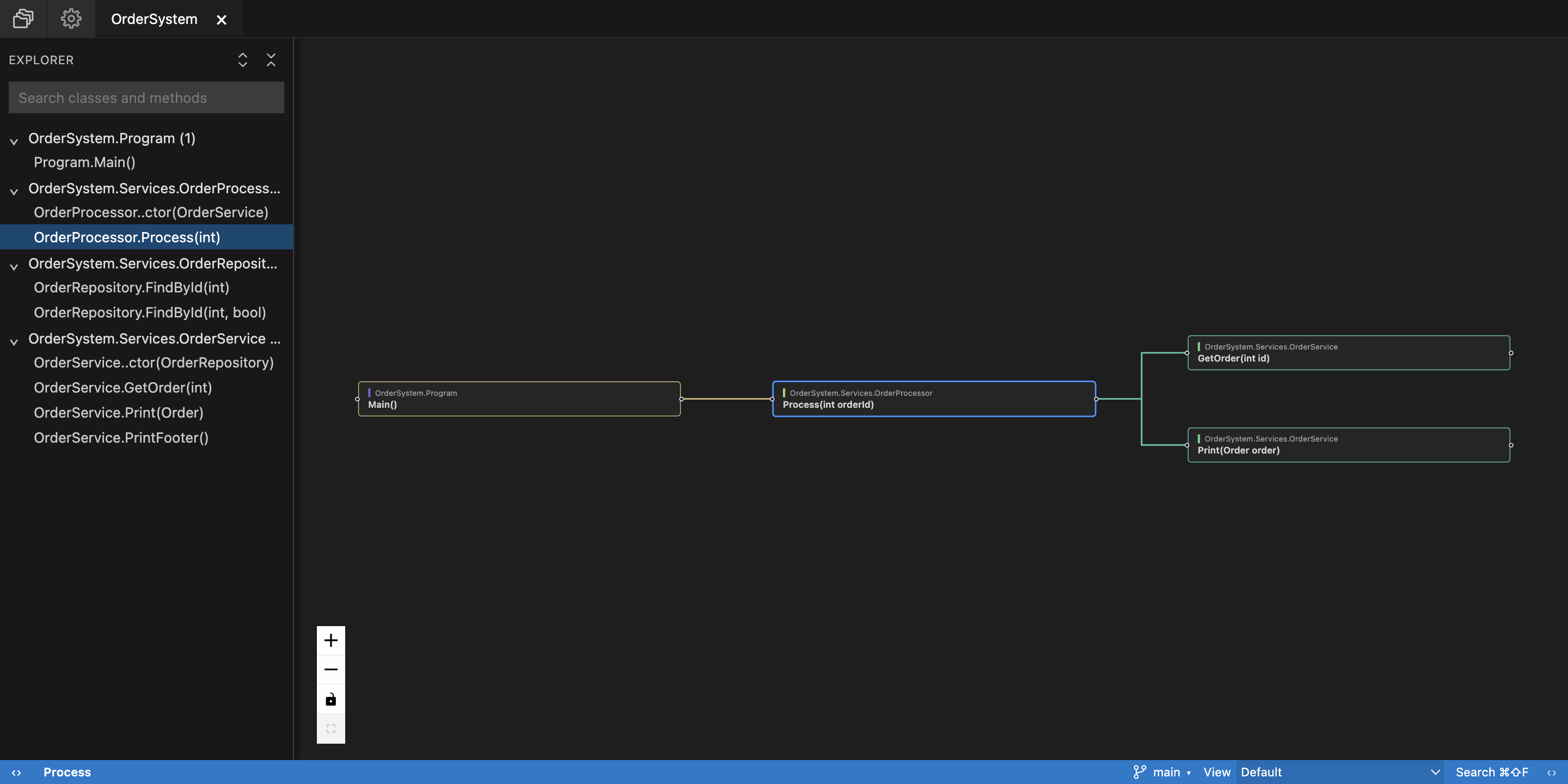
Symbol-aware. Overloads stay distinct.
See how your code connects.
Follow the calls, explore the flow,
and put your changes in context.
Public availability coming soonmacOS · Windows · Linux
C# supported todayMore languages coming soon
Files show you the pieces. UnKnot Code helps you see how they fit together.
Start at a method. Explore its recursive callers and immediate callees, across your solution.
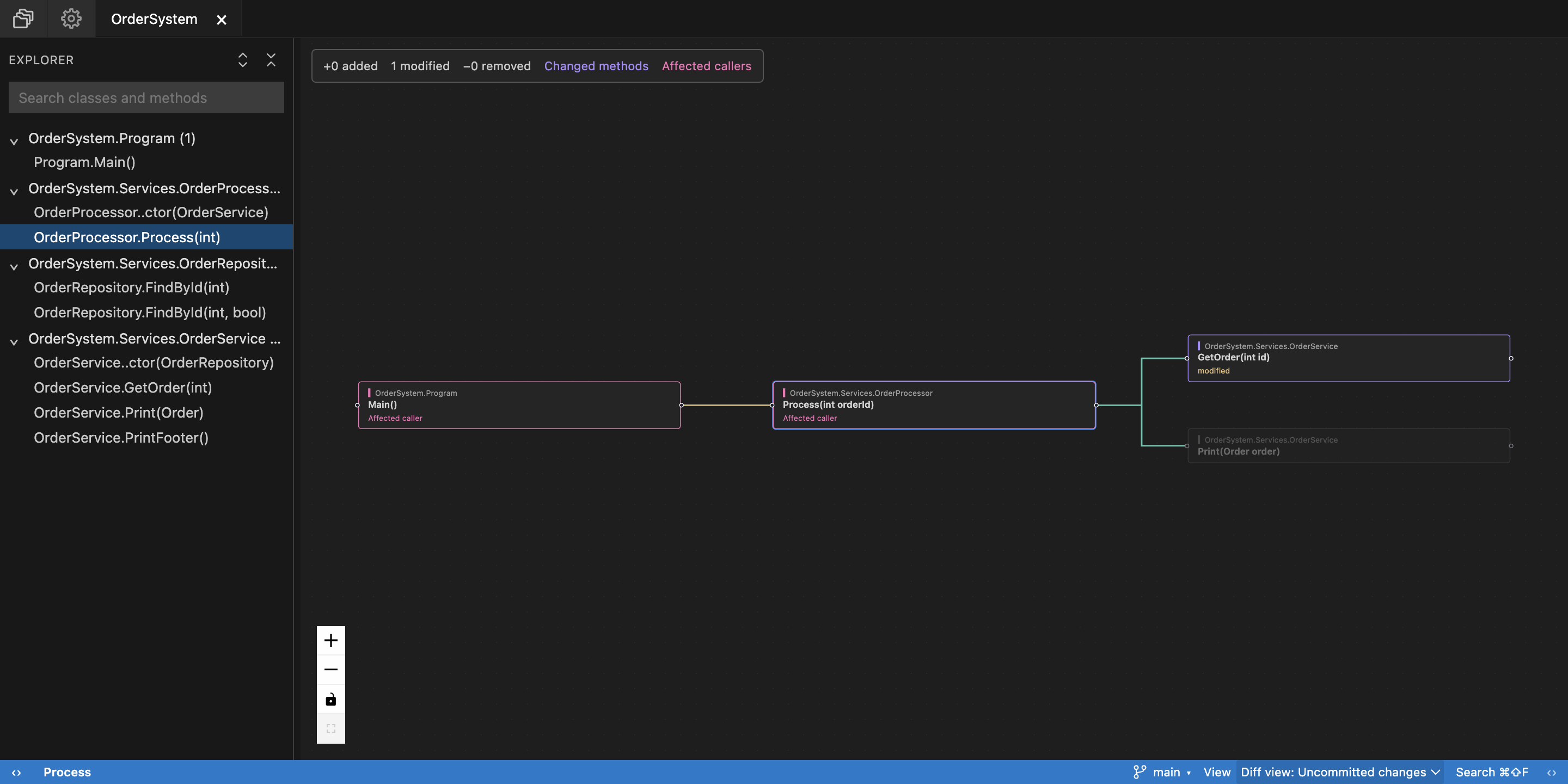
Inspect changed methods alongside their caller chains. Compare saved changes with HEAD or a branch baseline.
Make branches, loops, returns, and exception regions visible. Keep the source close as you explore.
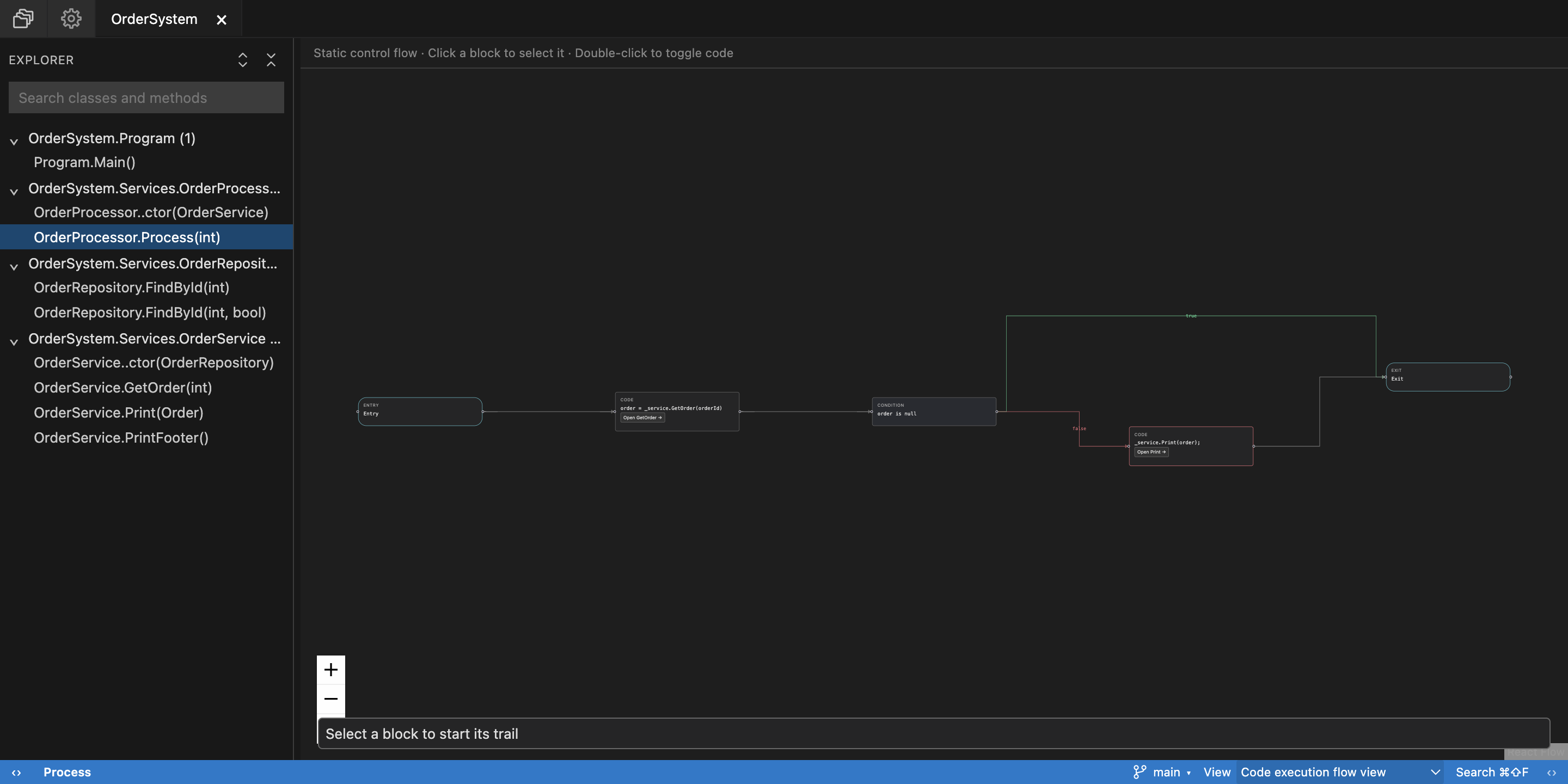
See the actual interface. Explore captures of method connections, change context, and static control flow.
Follow the Process method’s caller and its GetOrder and Print callees.
View full sizeCaptured from the running desktop app using the OrderSystem example project. C# is supported today; more languages are coming soon.
Search for a starting point. Follow a connection. Find your way back. A workspace for the way you investigate code.
Browse classes and methods, or search indexed method source.
Move between the graph and source. Breadcrumbs keep your path close.
Saved edits refresh the graph. Project tabs help you return to an investigation.
Code analysis and indexed graphs stay on your machine. The core exploration experience works without AI.
Opt-in local AI can explain a method or highlighted code. Off by default, with a separate model download. Check its answers against the source.
Developers exploring and maintaining a codebase. Whether you’re joining a project, tracking down behavior, reviewing a change, or returning to code you haven’t touched in months.
C# is currently supported. More languages are coming soon. Public availability of the desktop app will be announced separately.
The control-flow view is static analysis derived from source, not a recording of a running application. Project loading uses .NET tooling, so open only trusted repositories: build evaluation and restore can execute repository-controlled logic.
Code indexing and graph storage happen locally. Optional AI explanations also run locally. Package restore, app updates, and the initial AI asset download can use the network.
No. The graphs, change views, source navigation, and static control flow work without AI. Local explanations are an optional experiment, off by default, with a separate download of approximately 1.1 GB. Always check explanations against the source.
UnKnot Code is a visual exploration workspace alongside your editor. Its source panel is read-only; saved changes in your usual editor refresh the indexed graph.
The desktop preview is planned for macOS (Apple Silicon and Intel), Windows x64, and Linux x64. For C# projects, analysis requires a compatible .NET SDK 8 or newer; .NET 10 is recommended. Your project’s SDK and workload requirements still apply.
Public availability is coming soon. We’re preparing a free preview. There’s no announced release date yet, and future pricing hasn’t been announced.
 A CLEARER VIEW IS ON THE WAY
Public availability coming soon.
Free preview planned for macOS, Windows & Linux See the interface